
The event app for conferences and events
Attendees go from the event website to the app in one click. On a phone, tablet or computer they see the same content in a view that fits the screen, landscape included.
 Anna Brooks
 John Carter
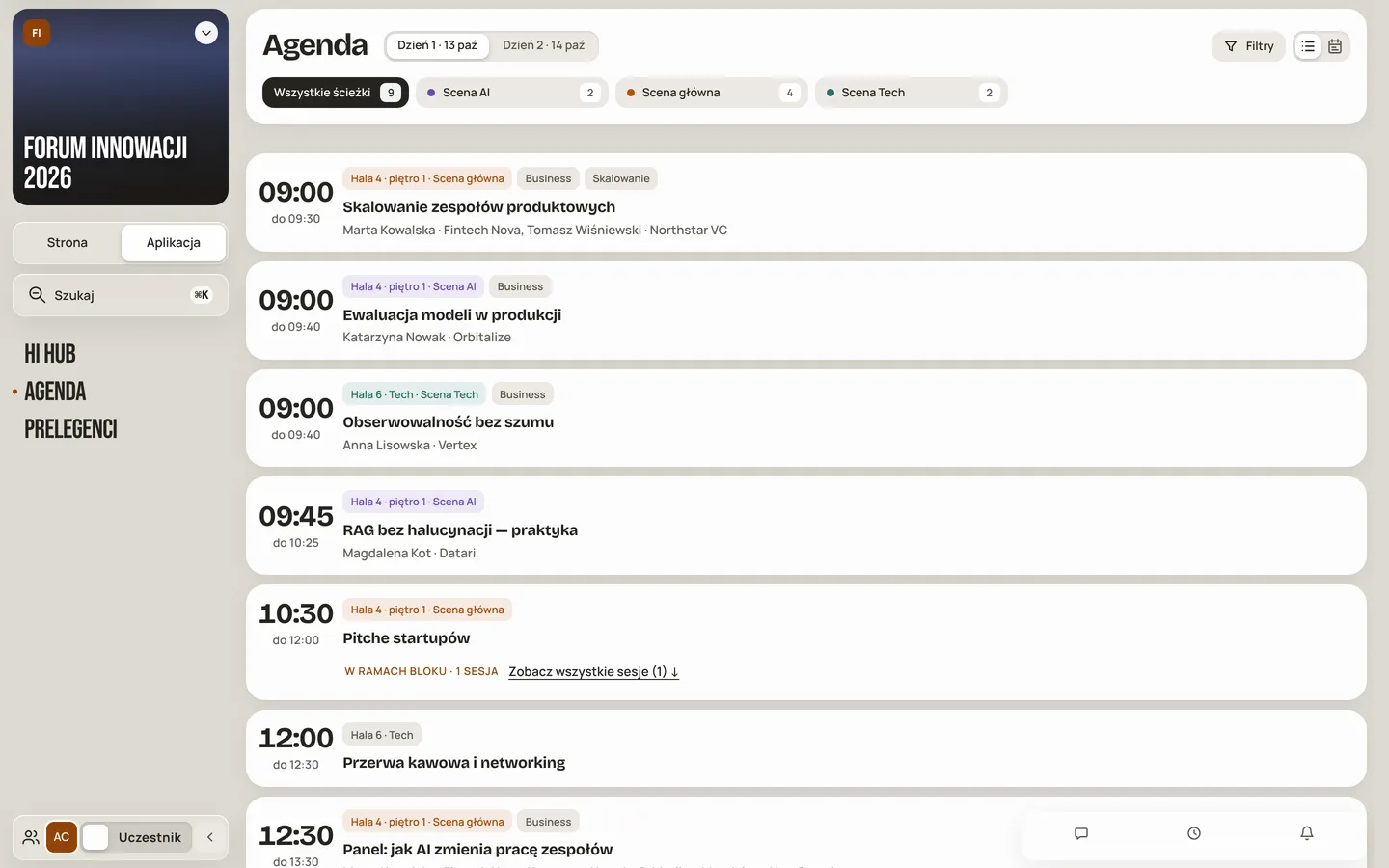
One click: from website to app.
On the event website, attendees click “Open app” and get the programme, their plan and conversations straight away. In the app, the Website / App switch takes them back. The event team has a third view: Admin.
One event, three views
The website attracts and sells, the app guides attendees through the event, and Admin lets you change all of it. Every programme change shows up in both places at once.
- Programme, speakers and tickets on the website
- Agenda, your plan and Event Hub in the app
- Admin mode for the event team
On a phone or tablet it looks like an app.
The same website on a phone or tablet switches to a mobile view: a bottom menu, full-width cards and sheets that slide up from the bottom. Attendees do not need to install anything.
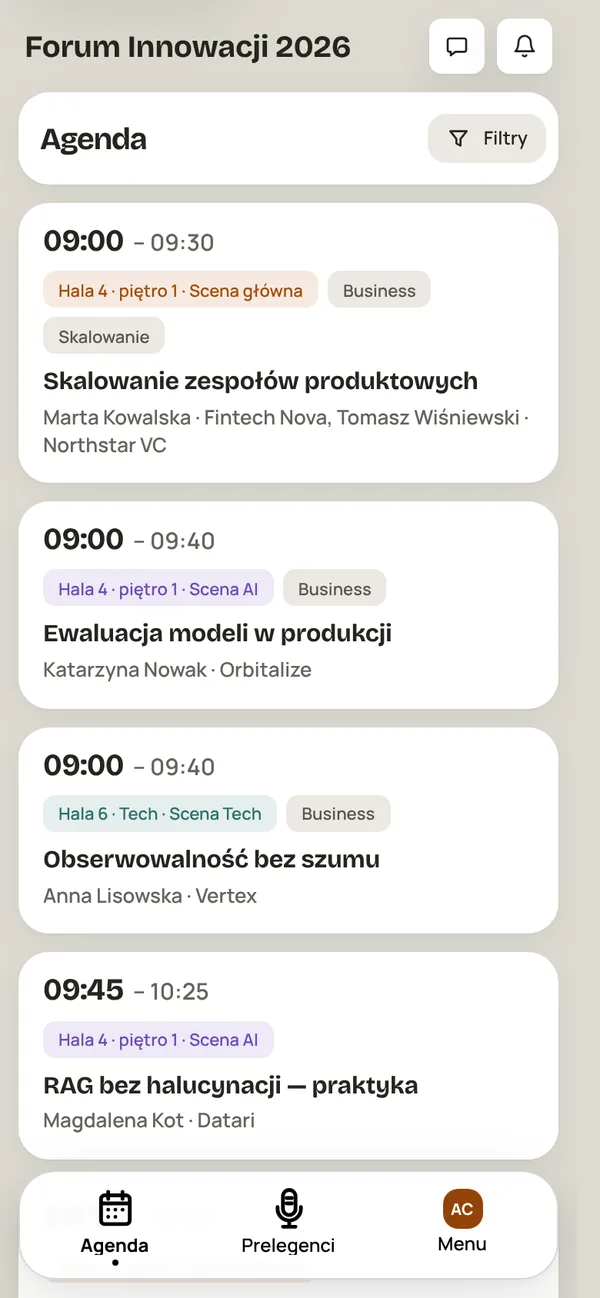
App on a phone
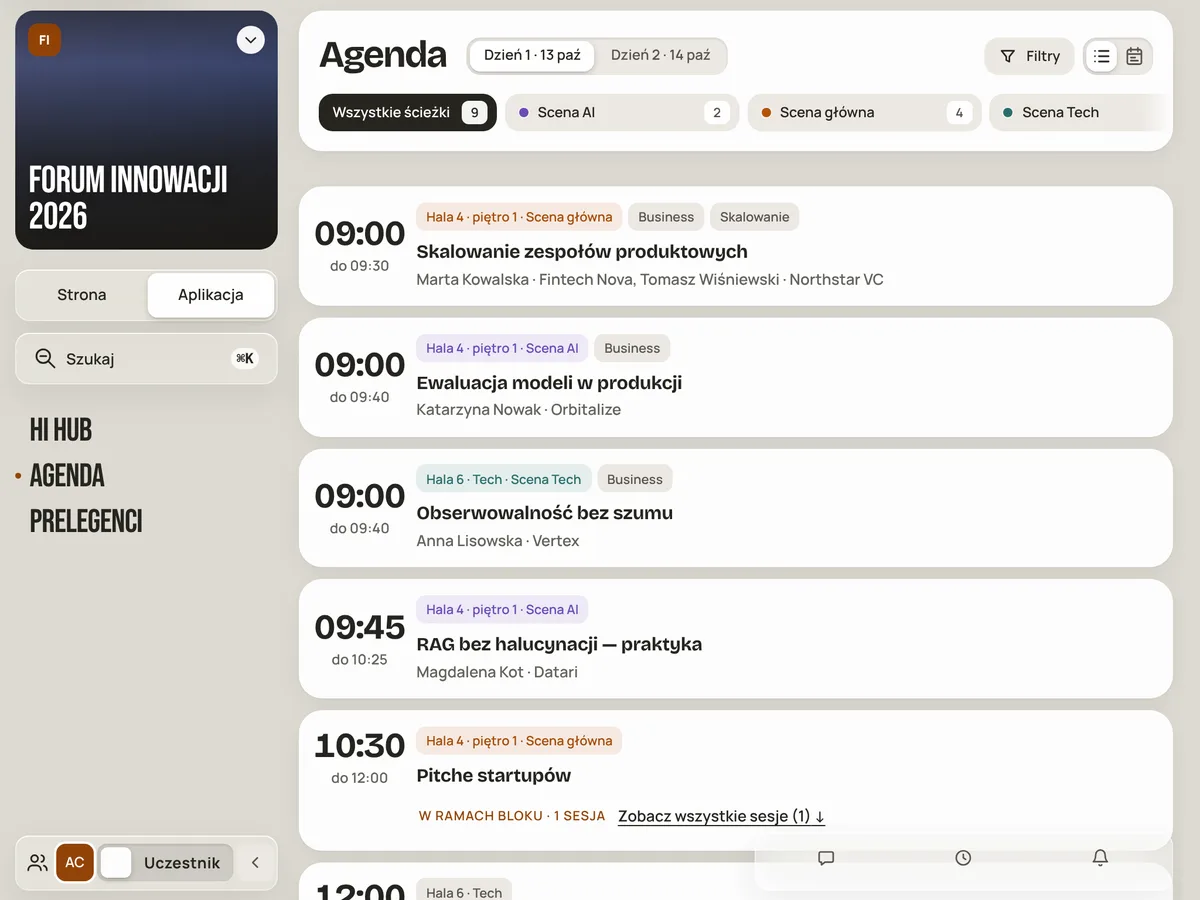
App on a tablet
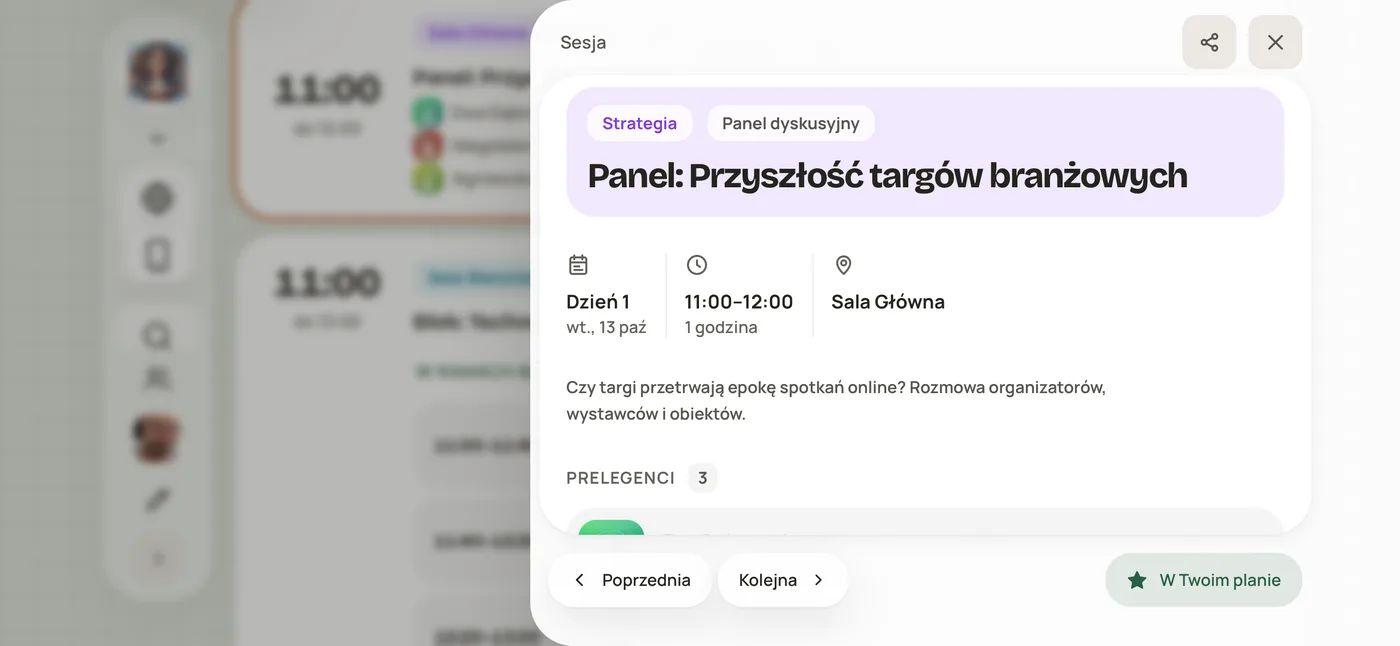
Turn your phone. The session stays readable.
In landscape, a session opens in a wide panel with the programme behind it. Previous, Next and In your plan stay at the bottom of the screen.
Check and fix your event wherever you are.
The website and content editor works on a phone too: modules and settings open in a sheet from the bottom of the screen. You work on a draft of the event and see it through attendees' eyes before you publish.
- Event draft: saving does not publish
- Preview as an attendee or a chosen group
- Publish when everything is ready
What attendees get in the app
 AgendaProgramme, track filters and your plan on your phone.See →
 Event HubBoard, channels and attendee chats.See →
 Hi HubTicket, plan and saved people on one dashboard.See →
 Networking1:1 meetings, tables and messages.See →
Every event app feature
Hover over or tap a feature to see how it works.
- The app works in the browser on a phone, tablet or computer. Attendees install nothing.
- On the event website, attendees click “Open app” and get the programme, their plan and conversations straight away.
- In the app, the Website / App switch takes attendees back to the event website.
- On the event website attendees see the programme, speakers and tickets.
- The event team has a third view, Admin, where they change the website and the app.
- Every programme change shows up on the website and in the app at once.
- Attendees see the same content in a view that fits the screen of their device.
- On a phone or tablet the website switches to a view with a bottom menu and full-width cards.
- On a phone, sheets slide up from the bottom of the screen, like in an app.
- When you turn the phone, a session opens in a wide panel with the programme behind it.
- In landscape, Previous, Next and In your plan stay at the bottom of the screen.
- Attendees have the programme, track filters and their plan on their phone.
- The board, channels and attendee chats in one module.
- The ticket, plan and saved people on one attendee dashboard.
- In the app attendees have 1:1 meetings, tables and messages.
- The website and content editor works on a phone. Modules and settings open in a sheet from the bottom.
- You work on a draft. Saving does not publish changes, and attendees cannot see the draft.
- Before publishing you see the event through the eyes of an attendee or a chosen group.
- You publish the event only when everything is ready.
Questions and answers
Do attendees have to install an app?
No. The attendee app works in the browser on a phone, tablet or computer.
Does the app work on a tablet and in landscape?
Yes. The view adapts to the screen of a phone, tablet or computer, also when you rotate the device.
Can I edit my event from a phone?
Yes. The website and content editor works on a phone. While the event is a draft, attendees cannot see it.
Website and app
in one place.
Join the beta Explore the Hi Events event app. We will let you know when we open access to the platform for you.
- 1Sign up for the beta
Leave your details in a short form and join the waiting list.
- 2Get your invitation
We'll let you know when we open Hi Events for you.
- 3Build your first event
Once you have access, you'll prepare your event website and explore what the platform can do.